Toptan satış katalogları
Devasa fiyat listeleri ve koleksiyonlar dijital dergiye dönüşür. Müşteri sayfaları çevirerek inceler, PDF indirmek zorunda kalmaz.
Bir kez PDF yükleyin; Easy PDF Flipbook onu ürün sayfanızda sayfa çeviren akıcı bir dijital dergiye çevirsin. Müşteriniz için eklenti yok, indirme yok, sayfadan çıkmak yok.
Shopify App Store'da yayında. Ücretsiz planla başlayın, kart istemiyoruz.
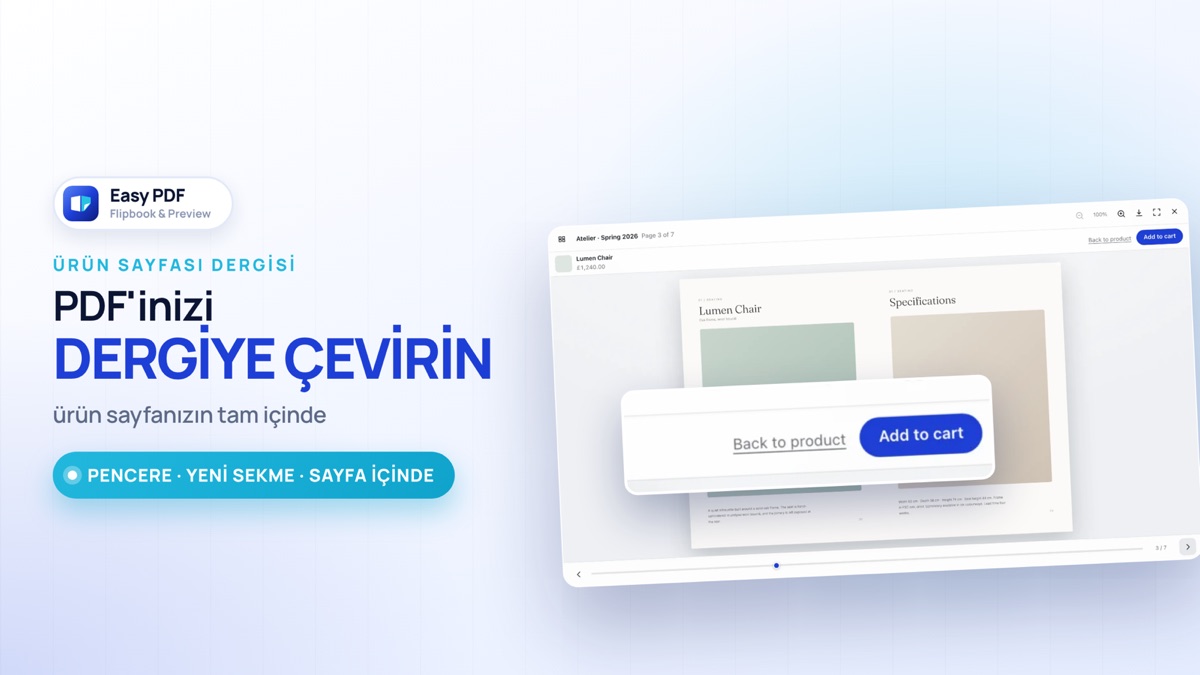
Kurulumdan ilk dergiye iki dakika: temada açma, PDF yükleme, ürüne bağlama ve vitrinde okuma.
Bir satıcının ilk sorduğu bilgiler, tek yerde.
Karelerin içindeki her ekran uygulamanın kendi kodundan alındı; panel yazıları da uygulamanın gerçek metinleri.
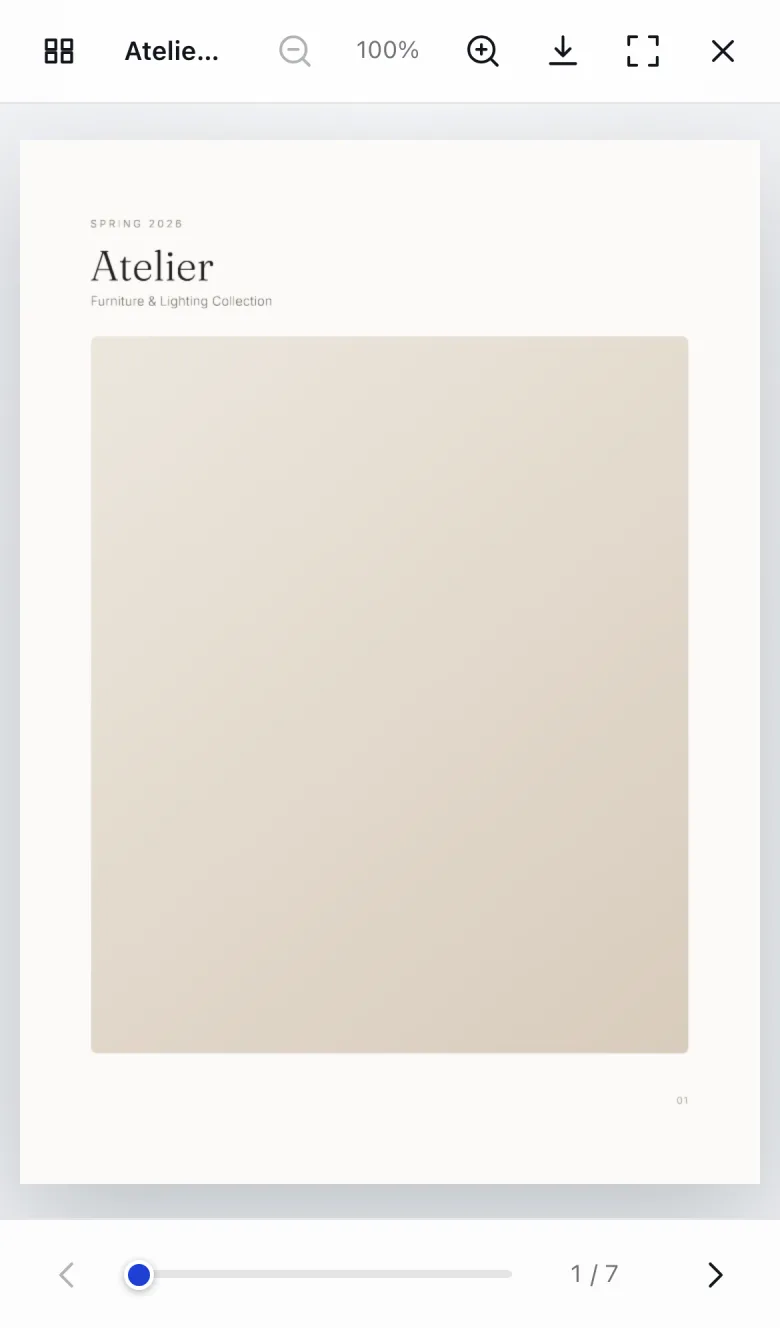
Küçük ekranda iki sayfalık açılım okunmaz. Görüntüleyici telefonda tek sayfaya geçer; kaydırarak çevirirsiniz, iki parmakla yakınlaştırırsınız.
Düzen kararı cihaz tahminine değil, ekranın gerçek genişliğine bakılarak verilir - viewport etiketi olmayan temalarda yanlış ölçüm yapan yönteme güvenilmez.
Easy PDF Flipbook, Shopify'ın Theme App Extension altyapısıyla çalışır. Tema koduna dokunmazsınız, geliştirici gerekmez.
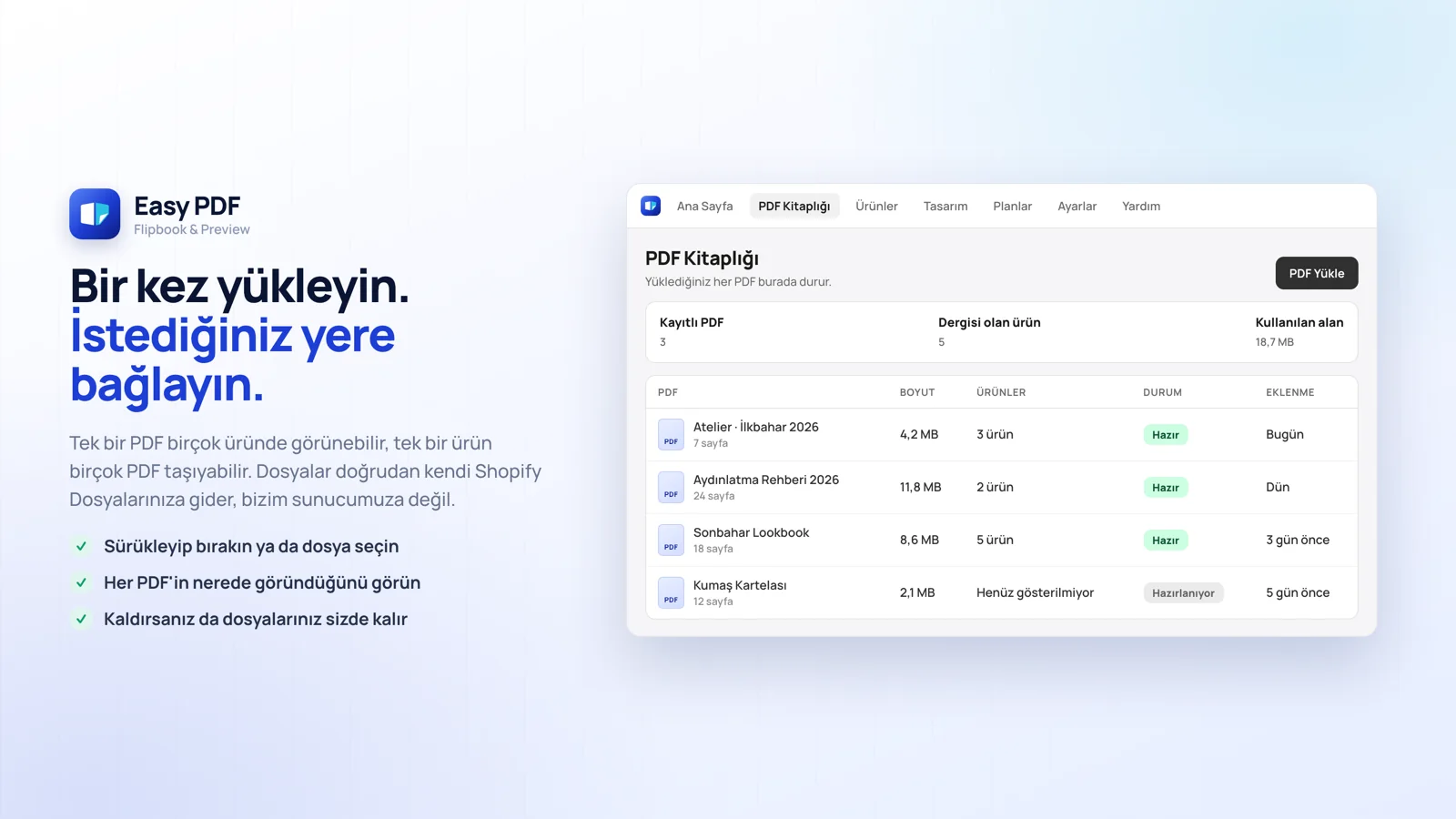
Panelden PDF Kitaplığı'na kataloğunuzu yükleyin. Dosya tarayıcınızdan doğrudan sizin Shopify Dosyalarınıza gider; bizim sunucumuza uğramaz.
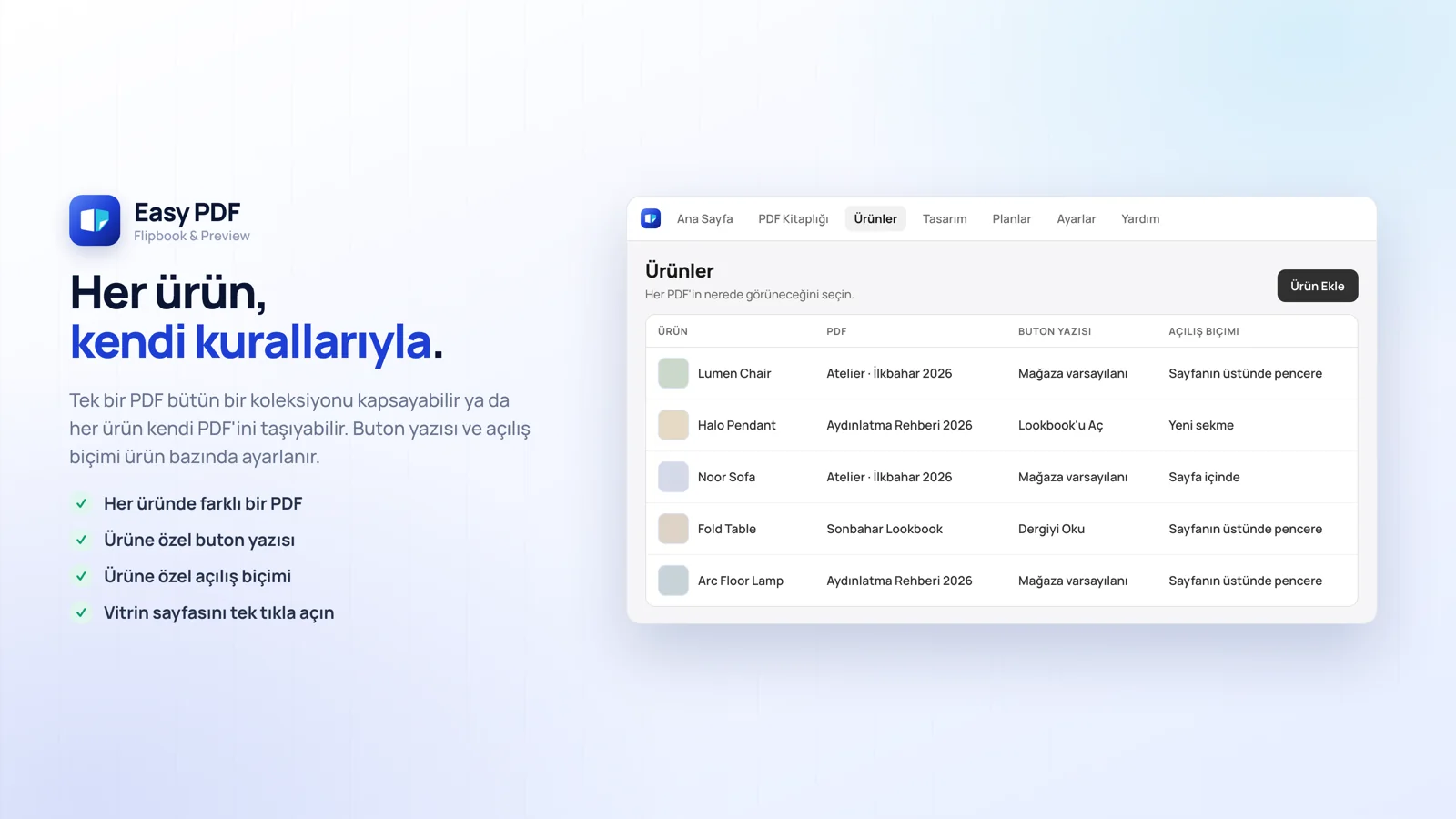
Bir PDF birden çok üründe görünebilir, bir ürün birden çok PDF taşıyabilir. Shopify ürün ekranındaki blok üzerinden de bağlayabilirsiniz.
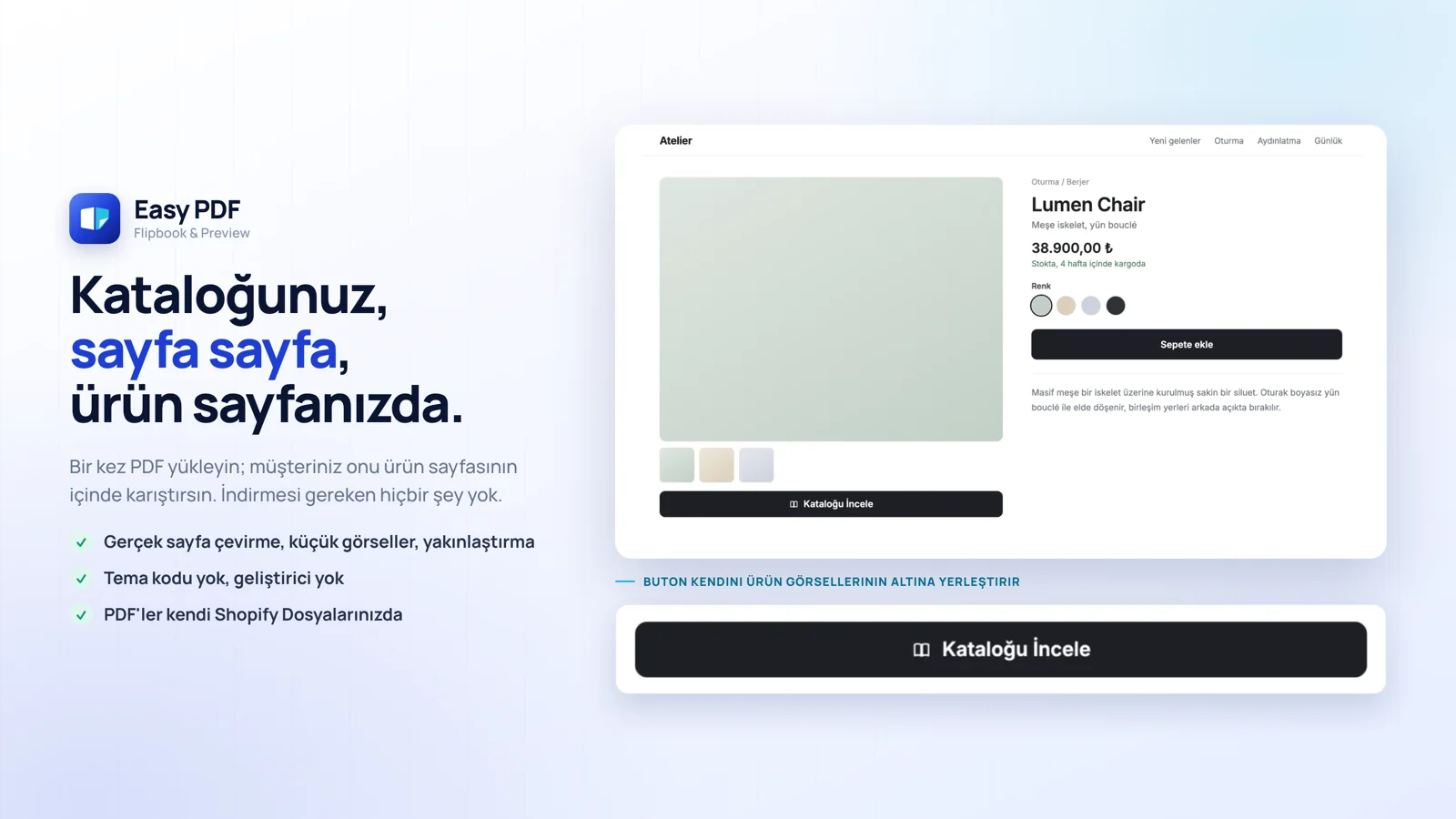
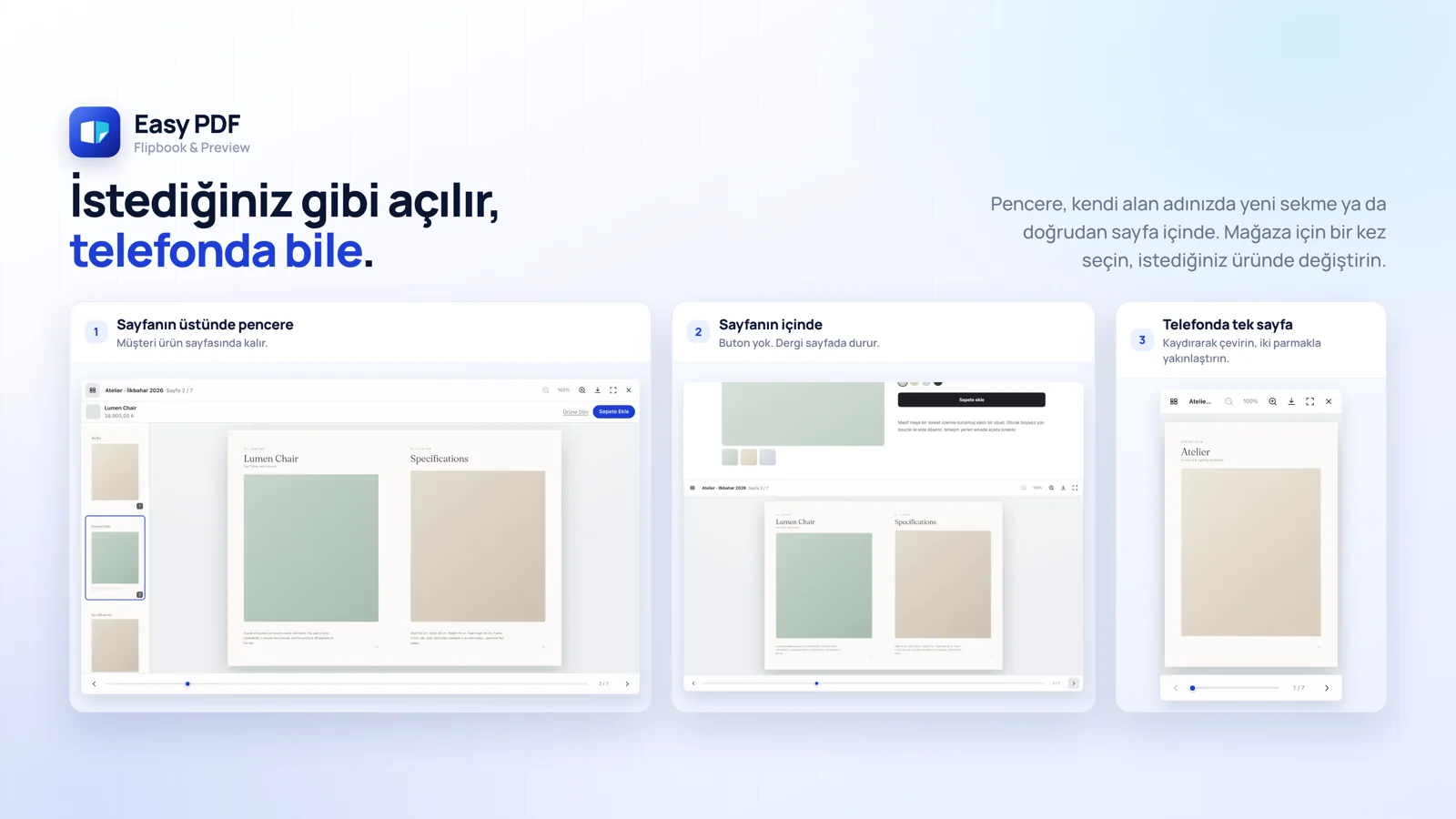
Ürün görsellerinin altında buton belirir. Müşteri basar, dergi açılır - indirme yok, sayfadan çıkmak yok.
Varsayılanı mağazanız için bir kez seçersiniz; istediğiniz üründe onu geçersiz kılabilirsiniz.
En hızlısı; müşteri ürün sayfasından ayrılmaz. Varsayılan budur.
Tam ekran okuma, kendi mağaza adresinizde. Adres çubuğunda bizim adımız görünmez.
Dergi ürün görsellerinin hemen altında durur. Tıklamaya bile gerek yok.
Kitaplar ve örnek bölümler. Mobilya ve aydınlatma katalogları. Look book'lar. Teknik çizimler ve şartname sayfaları. Şarap listeleri ve menüler. Kısacası içeriği dışını satan her şey.
Sayfalar müşteri okudukça iner; 200 sayfalık bir katalog 4 sayfalık kadar hızlı açılır. Dergiye hiç bakmayan ziyaretçide yaklaşık 5 KB iner.
PDF'ler sizin kendi Shopify Dosyalarınızda durur, bizim sunucumuzda değil. Uygulamayı kaldırmak onları asla silmez.
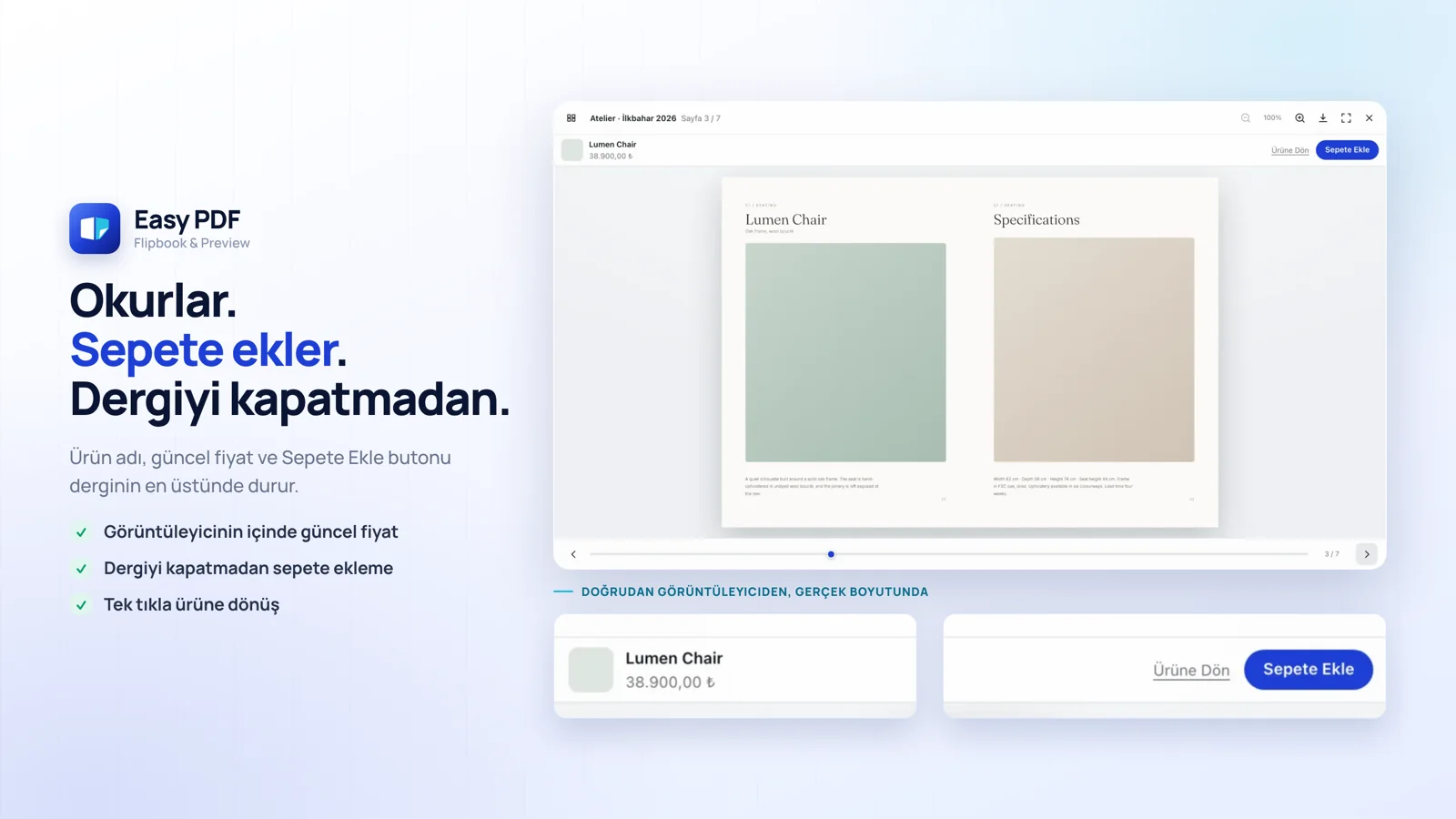
Görüntüleyicinin üstünde ürün adı, güncel fiyat ve Sepete Ekle durur. Müşteri kataloğu karıştırırken karar verdiği anda alır; ürün sayfasına geri dönmesi gerekmez.
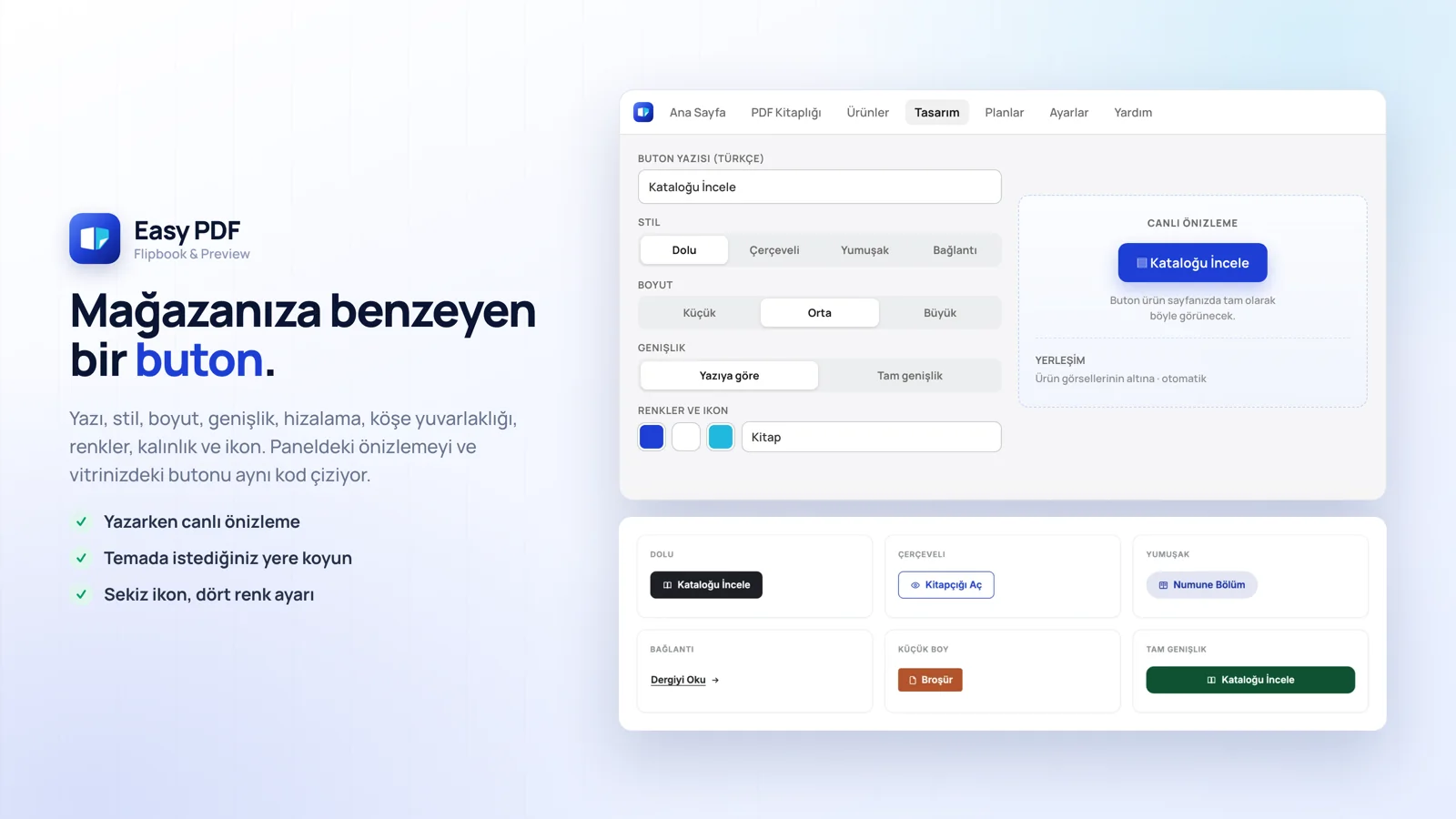
Yazı, stil, boyut, genişlik, hizalama, köşe, dört renk, yazı kalınlığı ve sekiz ikon. Canlı önizleme ile vitrin butonu aynı koddan çizilir.
Sayfa paneli, tıklayarak ve parmakla yakınlaştırma, tam ekran, klavye okları, isteğe bağlı indirme ve yazdırma. Hangisini vereceğinize siz karar verirsiniz.
Hem panelde hem vitrinde. Müşteri, mağazanızın diline uyan etiketi görür.
Uygulamayı kurduktan sonra panelin ana sayfasındaki dört adımlık liste sizi bu sırayla yürütür.
Uygulamalar → Easy PDF Flipbook yolunu izleyin. Kurulum adımlarının olduğu ana sayfa açılır.
Tema düzenleyiciyi açın, Easy PDF Flipbook app embed'ini açın ve kaydedin. Kapalıyken vitrinde hiçbir şey yüklenmez - bu bilinçli bir güvenlik kapısıdır.
PDF Kitaplığı'na gidip dosyanızı yükleyin. Durum birkaç saniye içinde Hazır'a döner.
Ürünler ekranından PDF'i seçin, sonra görünmesini istediğiniz ürünleri seçin.
Tasarım ekranından yazıyı, rengi, boyutu ve ikonu ayarlayın. Sağdaki önizleme anında güncellenir.
Ürün sayfasını açın, butona basın, derginin açıldığını görün. Beğenmediğiniz bir şey varsa Tasarım ekranına dönün.
Planlar arasındaki tek fark PDF sayısıdır. Tüm ödemeler Shopify faturanız üzerinden alınır, istediğiniz zaman iptal edebilirsiniz.
5 PDF
PDF başına maks. 2 ürün
25 PDF
Sınırsız üründe gösterim
100 PDF
Sınırsız üründe gösterim
Sınırsız PDF
Sınırsız üründe gösterim
Deneme süresi yok, çünkü ücretsiz plan hiç bitmiyor. İstediğiniz kadar kullanın. Plan düşürmek güvenlidir: yeni limitinizin üstündeki PDF'ler kitaplığınızda kalır, yalnızca müşterilere gösterilmeyi bırakır - planı yükseltince geri gelirler.
Satıcıların mağazalarında fark yaratmak için kullandığı güçlü ve benzersiz yeteneklerimizi keşfedin.
Devasa fiyat listeleri ve koleksiyonlar dijital dergiye dönüşür. Müşteri sayfaları çevirerek inceler, PDF indirmek zorunda kalmaz.
Yüksek çözünürlüklü lookbook'lar kaliteyi bozmadan yüklenir. Shopify'ın dosya sınırı yüzünden sıkıştırmak gerekmez.
Renk, ikon, boyut ve yerleşim panelden ayarlanır. Buton ürün görsellerinin altına kendiliğinden yerleşir.
5 PDF hakkı denemek için yeterli. Kurulum birkaç dakika sürer; işe yaradığını görünce üst plana geçilir.
Telefonda tek sayfa gösterilir, kaydırarak çevrilir, iki parmakla yakınlaştırılır. Masaüstünde çift sayfa açılır.
Tema düzenleyicide tek anahtar. Butonun nerede duracağı ve nasıl açılacağı panelden seçilir.
Dergi sayfa sayfa okunur; ilk sayfa dosyanın tamamı inmeden görünür. 200 sayfalık katalogda da açılış aynı hızdadır.
Kılavuz ürün sayfasında pencere içinde açılır. Müşteri sayfadan çıkmaz, aynı sorular destek kanalına daha az düşer.
Sezonluk lookbook'lar tam çözünürlükte durur. Kumaş dokusu ve renk, sıkıştırılmış bir PDF'te kaybolmaz.
Köşeden sürüklenen sayfa gerçek bir dergi gibi döner. Kütüphane yüklenemezse kaydırmalı okumaya düşer, dergi yine açılır.
Ücretsiz planda başlanır, dosya sayısı yetmeyince tek tıkla yükseltilir. Yüklenen PDF'ler yerinde kalır.
Pencere, yeni sekme ya da sayfa içi. Kılavuzlar için pencere, uzun kataloglar için tam sayfa okuma tercih edilir.
Buton genişliği, köşe yuvarlaklığı, ikon ve üzerine gelme rengi ayrı ayrı ayarlanır. Panelde canlı önizlemesi vardır.
Panelde kaç PDF ve ne kadar alan kullanıldığı açıkça yazar. Sınıra yaklaşınca sürpriz olmaz.
Kitabın ilk bölümü önizleme olarak konur, tamamı satılır. Ağır dosyalar Easy PDF tarafında durduğu için mağaza hızı etkilenmez.
Uygulamayı denediniz mi? App Store'da yorum bırakın ya da bize yazın, deneyiminizi duymak istiyoruz.
Cevabını bulamadınız mı? İletişim sayfamızdan bize ulaşın.