Wholesale Catalogues
Huge price lists and collections become a digital magazine. Buyers flip through the pages instead of downloading a PDF.
Upload a PDF once and Easy PDF Flipbook turns it into a smooth, page-turning digital magazine right on your product page. No plugins for your customers, no downloads, no leaving the page.
Live on the Shopify App Store. Start on the free plan - no card needed.
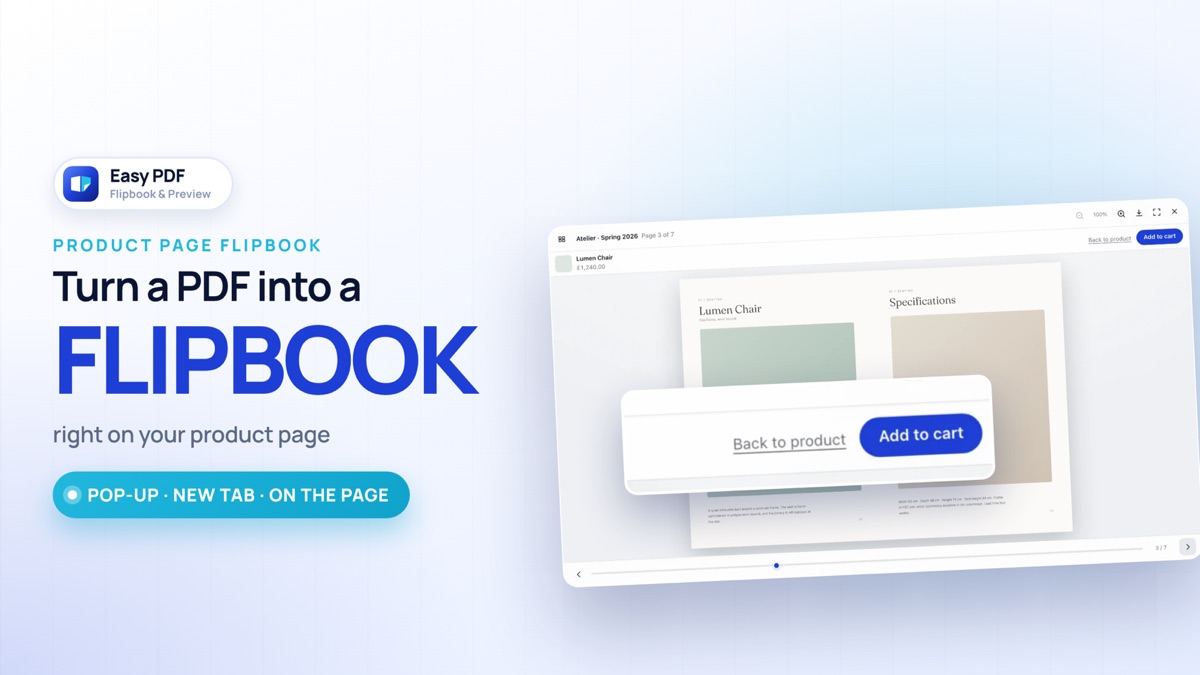
From setup to the first magazine in two minutes: switching it on in your theme, uploading a PDF, attaching it to a product, and reading it on the storefront.
The facts a merchant asks first, in one place.
Every screen inside these frames comes from the app's own code, and the admin wording is the app's real copy.
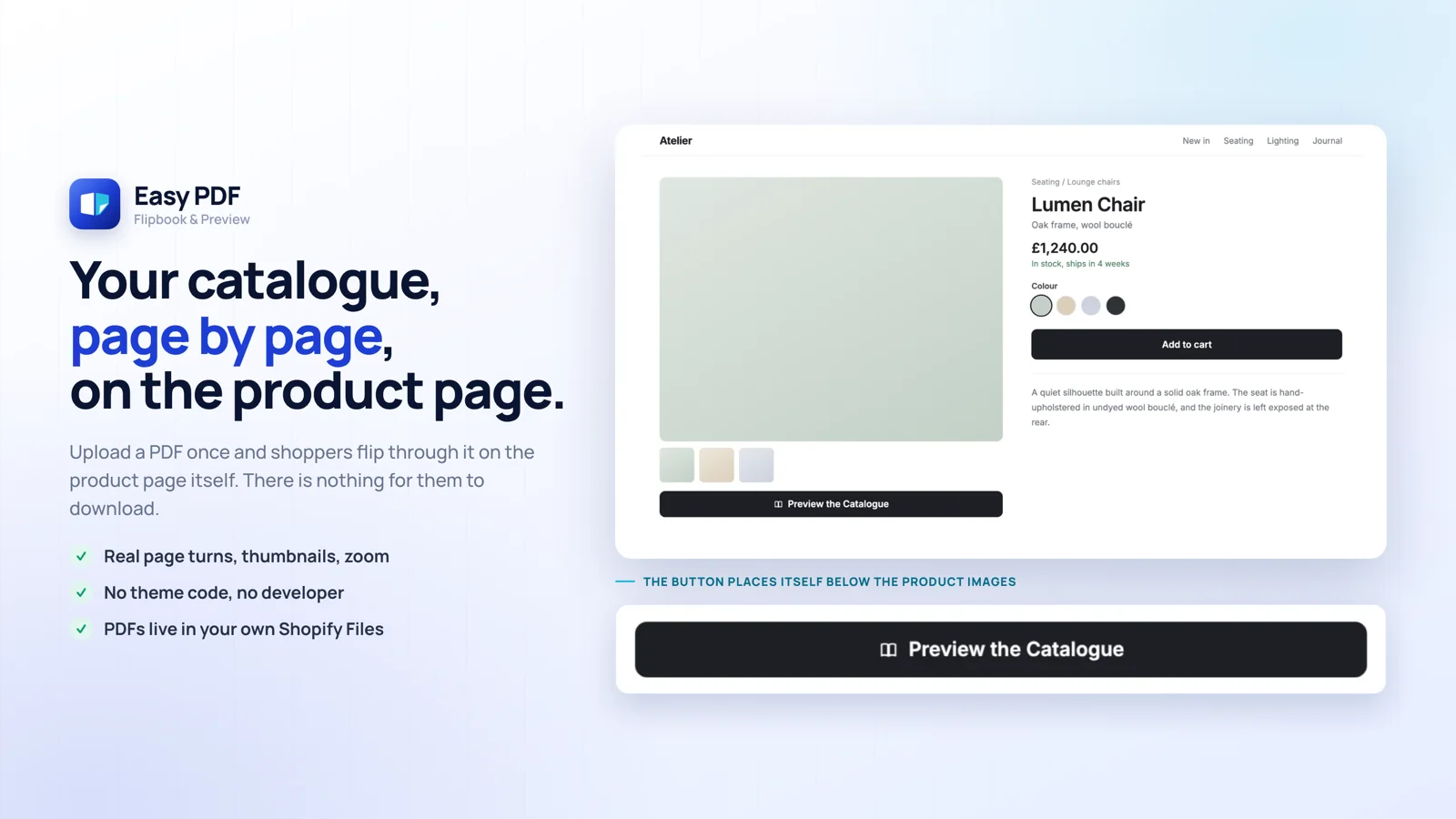
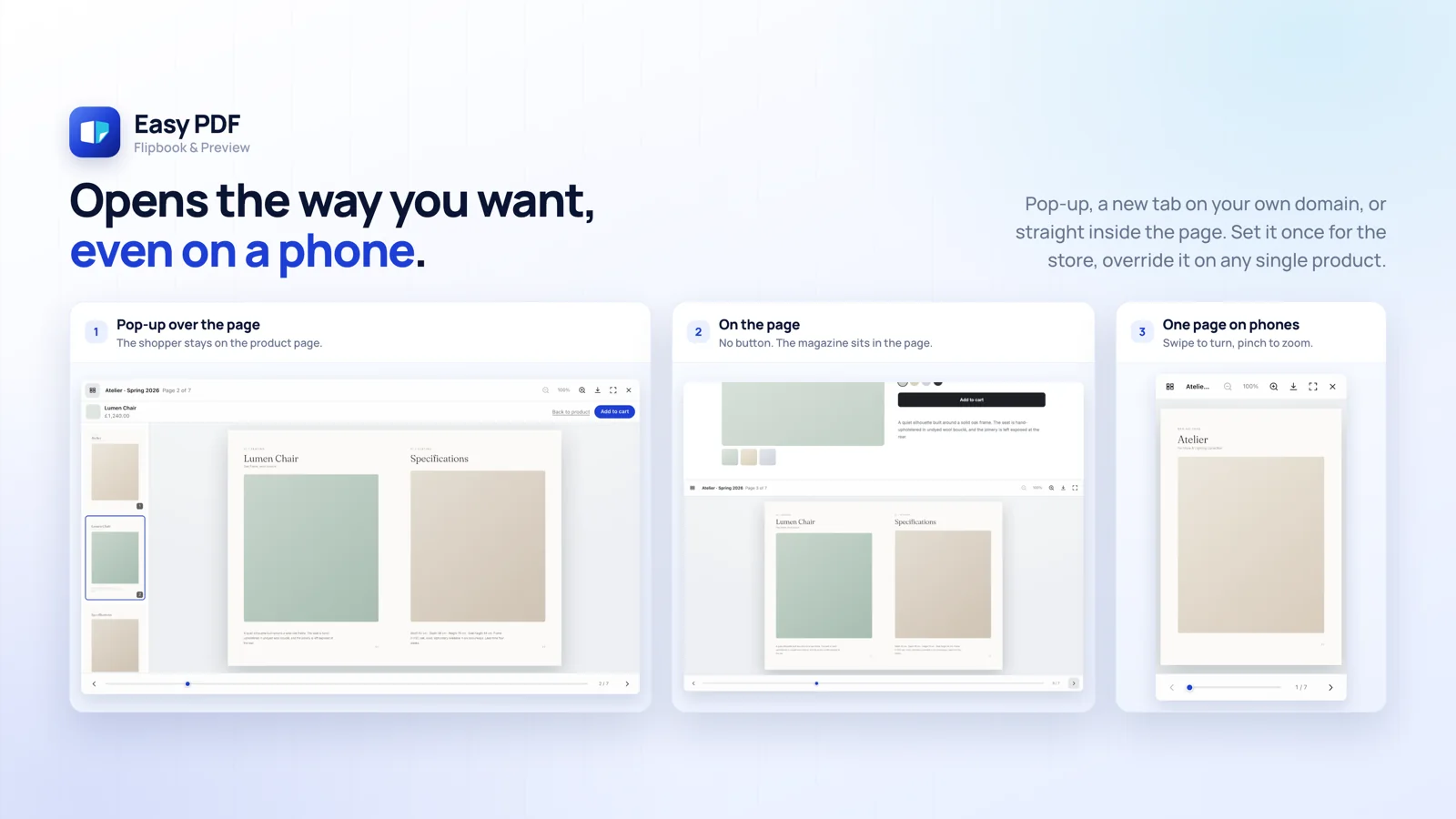
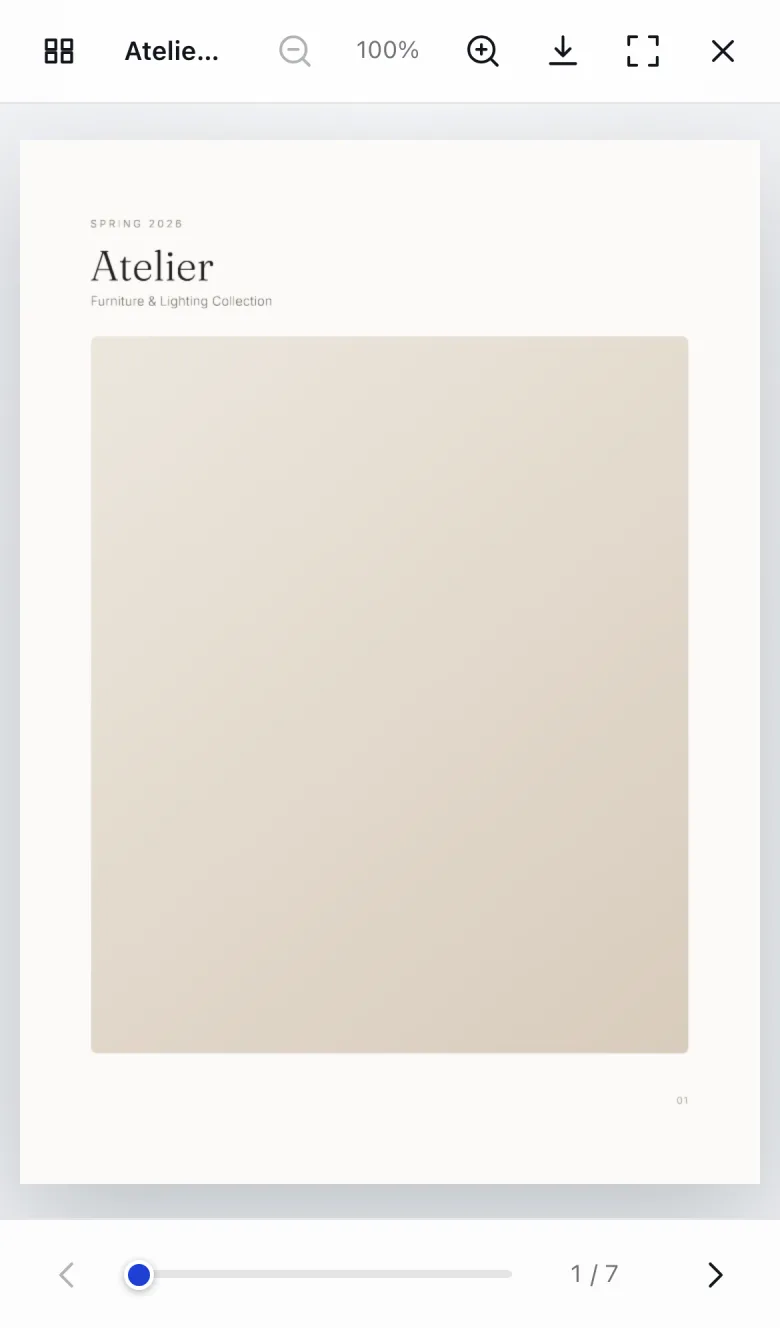
A two page spread is unreadable on a small screen. On phones the viewer switches to a single page; swipe to turn, pinch to zoom.
That decision is made from the real width of the layout, not from a guess about the device - the guessing method reports the wrong number on themes without a viewport tag.
Easy PDF Flipbook runs on Shopify's Theme App Extension framework. You never touch theme code and you do not need a developer.
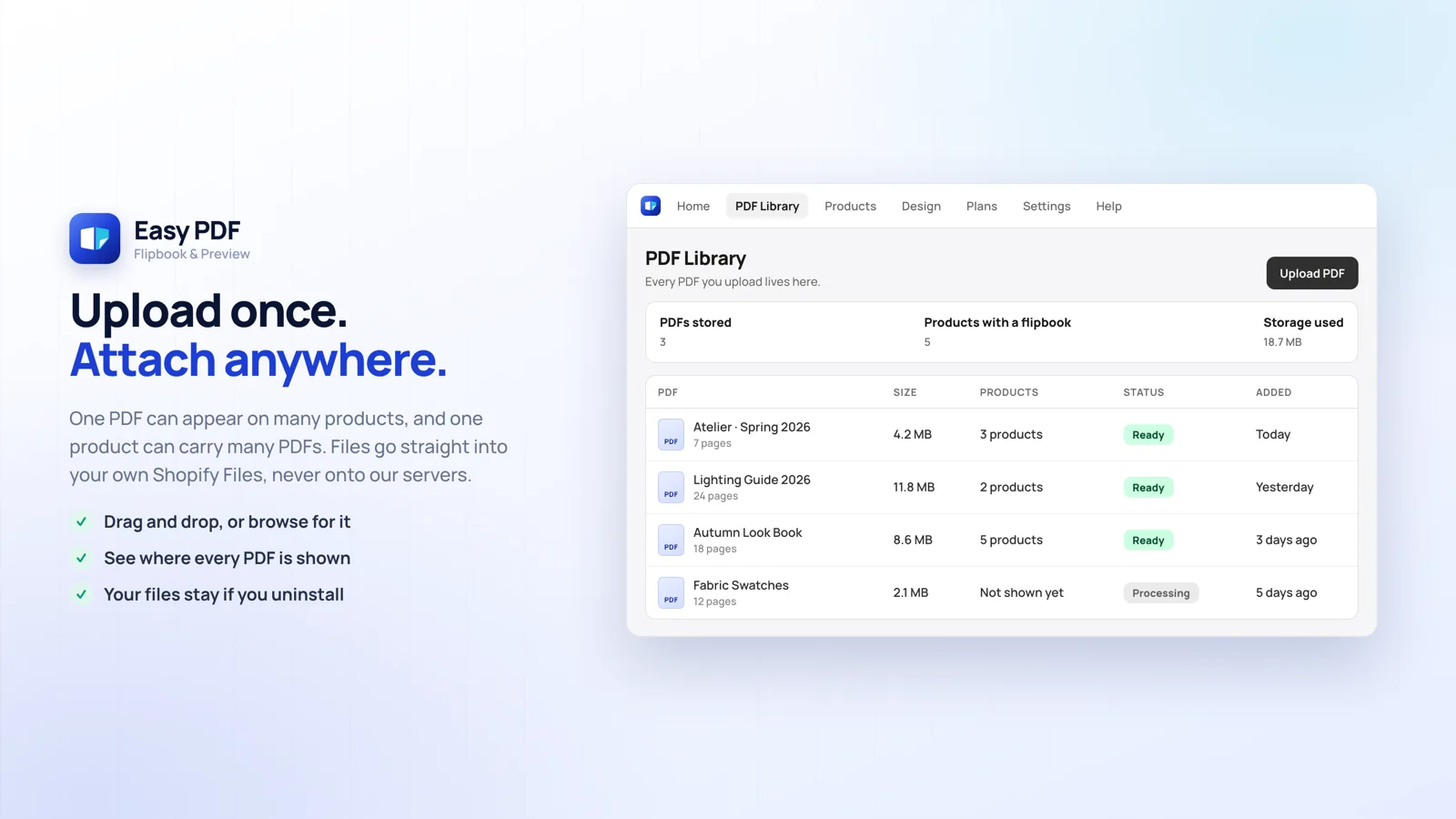
Upload your catalogue to the PDF Library in the admin. The file goes straight from your browser into your own Shopify Files; it never passes through our servers.
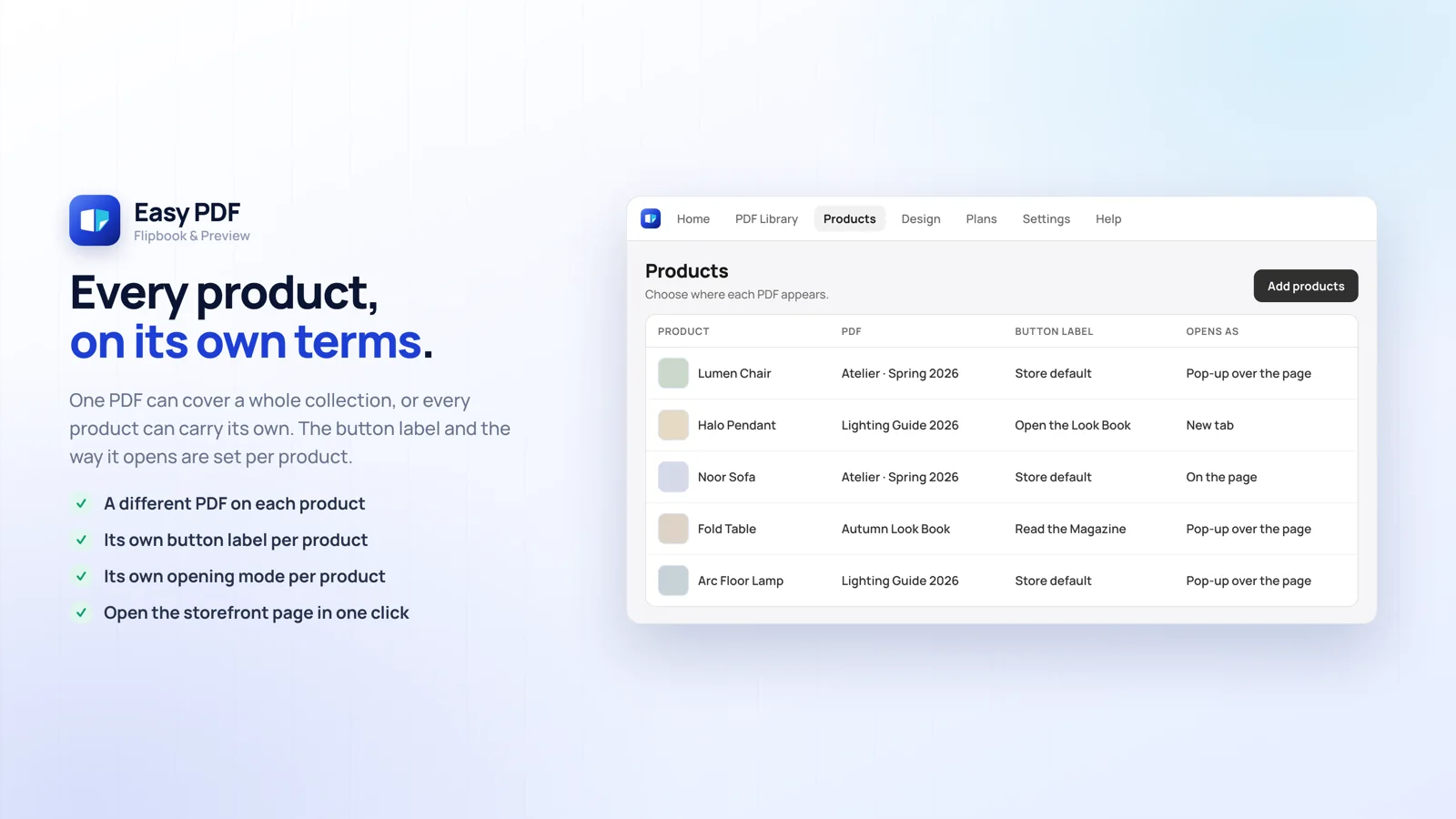
One PDF can appear on several products, and a single product can carry several PDFs. You can also attach one from the block on the Shopify product screen.
A button appears below the product images. The shopper taps it and the magazine opens - no download, no leaving the page.
You pick the default for your store once, and you can override it on any single product.
The fastest one, and the shopper never leaves the product page. This is the default.
Full screen reading at your own store address. Our name never appears in the address bar.
The magazine sits right below the product images. No click needed at all.
Books and sample chapters. Furniture and lighting catalogues. Look books. Technical drawings and spec sheets. Wine lists and menus. Anything where the inside sells the outside.
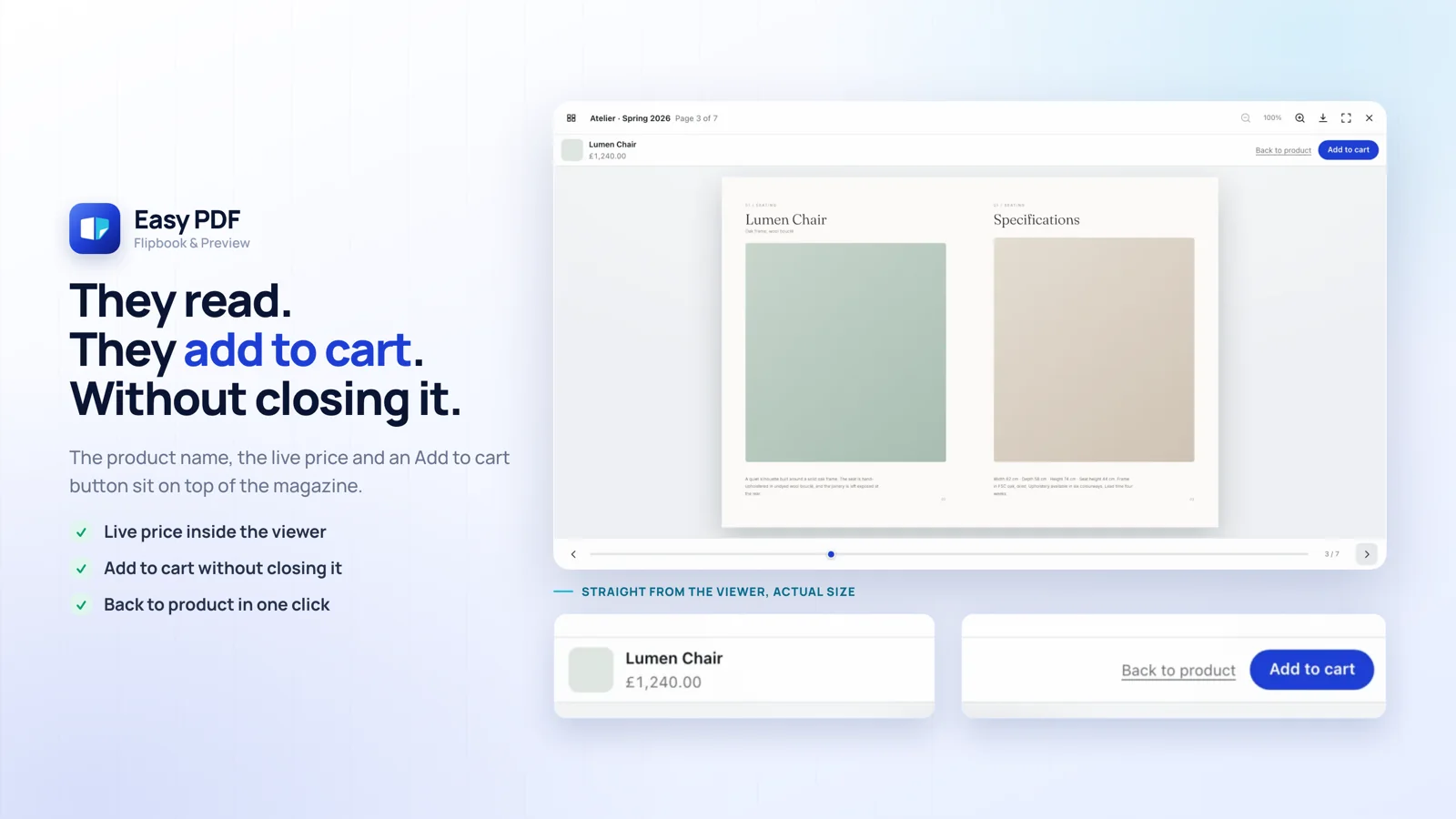
The product name, the live price and an Add to cart button sit at the top of the viewer. The shopper buys the moment they decide, with no trip back to the product page.
Copy a code for any PDF and paste it into a Shopify page, a blog post, a Custom Liquid section or an outside site. It draws the same button and opens the magazine in a full screen window. On the Free plan a small Easy PDF link sits under the button; paid plans remove it.
The first page of your PDF becomes a product image with a PDF badge, and tapping it opens the magazine. The catalogue sits right where shoppers are already looking.
The magazine is not limited to product pages. Show it on the collections and pages you choose, as a button or at full width. The theme editor opens with the block already added, so you only click Save.
Link one PDF to the active products of a collection or tag in a single action. Each run handles up to 500 products, and your plan's product limit still applies.
On Starter and above, one switch makes the .pdf links in your product descriptions, pages and blog posts open as a magazine. Only files on Shopify or your own store address are converted.
Web, email and page links inside your PDF stay clickable in the magazine. On Starter and above you can draw areas on a page and send them to a link, a product or Add To Cart.
The PDF's own table of contents opens as a panel, and shoppers can search the document text. They find what they need without turning hundreds of pages. Scanned pages have no text to search.
The Share button creates a link that opens the magazine on that exact page. Nobody has to explain where in the catalogue to look.
A page panel, click and pinch zoom, full screen and keyboard arrows on every plan. Download and print are two separate switches, so you decide which of them shoppers get.
Pages turn right to left for Arabic, Hebrew and Persian documents. You change the reading direction with one setting.
Pages can turn on their own at the pace you set. It stops when the shopper touches the page and stays off for those who reduce motion. A page-turn sound is optional.
On Starter and above you can give each PDF its own password, and the magazine stays closed until it is entered. This is a reading gate, not content protection. For a PDF in Shopify Files, anyone who knows or guesses the file name can reach the file without the gate; Easy PDF storage (Growth and above) gives an address that cannot be guessed.
On Starter and above a PDF can ask for an email before it opens, with an optional name field and consent checkbox. Emails are listed per PDF, with CSV download and delete. You are the data controller. This is a reading gate, not content protection: anyone who knows or guesses the file name can reach the file without it.
See opens, page views, link clicks and Add To Cart in the admin. The Free plan shows totals for the last 30 days; Starter and above add date ranges, numbers for each PDF and the most read pages. No personal data is stored.
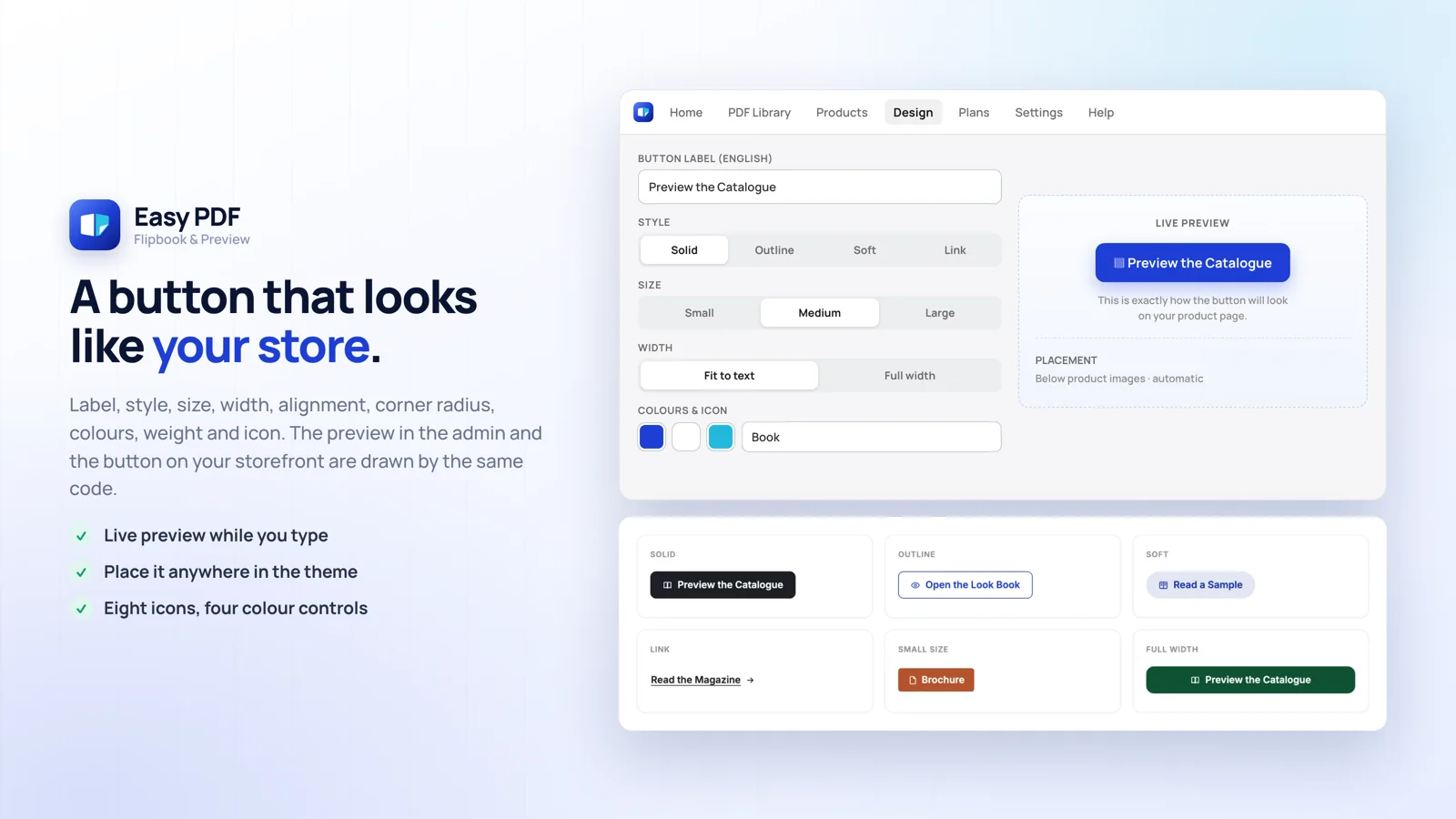
Label, style, size, width, alignment, corner radius, four colours, text weight and seven icons. The live preview and the storefront button are drawn by the same code.
The viewer follows your store language: English, Turkish, Spanish, Portuguese, French, German, Italian, Dutch, Polish, Danish, Japanese and Slovenian. The admin is in English and Turkish, and you write the button label yourself.
Pages stream in as the shopper reads, so a 200 page catalogue opens as quickly as a 4 page one. A visitor who never opens the flipbook downloads about 8 KB.
By default PDFs are stored in your own Shopify Files, and uninstalling the app never deletes them. On Growth and Unlimited you can also choose Easy PDF storage for files above 20 MB, up to 200 MB.
After you install the app, the four step list on the admin home screen walks you through this order.
Go to Apps → Easy PDF Flipbook. The home screen with the setup steps opens.
Open the theme editor, switch on the Easy PDF Flipbook app embed and save. While it is off nothing loads on your storefront - that is a deliberate safety gate.
Go to the PDF Library and upload your file. The status turns Ready within a few seconds.
On the Products screen pick the PDF, then pick the products you want it to appear on.
On the Design screen set the label, colour, size and icon. The preview on the right updates as you type.
Open the product page, tap the button, watch the magazine open. If anything looks off, go back to the Design screen.
All payments are billed through your Shopify invoice and you can cancel at any time.
5 PDFs
Max 2 products per PDF
25 PDFs
Unlimited products
100 PDFs
Unlimited products
Unlimited PDFs
Unlimited products
There is no trial, because the free plan never expires. Use it as long as you like. Downgrading is safe: PDFs above your new limit stay in your library, they simply stop showing to shoppers - and they come back if you move up again.
Discover the powerful, distinctive capabilities merchants use to stand out in their own stores.
Huge price lists and collections become a digital magazine. Buyers flip through the pages instead of downloading a PDF.
On Growth and Unlimited, high resolution lookbooks upload at up to 200 MB without losing quality. No compressing to fit Shopify's file size limit.
Colour, icon, size and placement are set from the admin. The button lands under your product images on its own.
Five PDFs is enough to try it properly. Setup takes minutes; you move up once you see it working.
Phones show one page at a time with swipe to turn and pinch to zoom. Desktop opens a two page spread.
One switch in the theme editor. Where the button sits and how it opens are chosen from the admin.
The magazine is read page by page, so the first page appears before the whole file arrives. A 200 page catalogue opens just as fast.
The manual opens in a window on the product page. The customer never leaves, and the same questions reach support less often.
Seasonal lookbooks stay at full resolution. Fabric texture and colour do not disappear into a compressed PDF.
Drag the corner and the page turns like a real magazine. If the engine fails to load it falls back to scrolling, and the magazine still opens.
Start free, upgrade in one click when five files run out. The PDFs you already uploaded stay where they are.
A window, a new tab, or inline on the page. Manuals suit the window; long catalogues suit full page reading.
Button width, corner radius, icon and hover colour are each configurable, with a live preview in the admin.
The admin shows how many PDFs and how much space are in use. Hitting the limit is never a surprise.
Put the first chapter up as a preview and sell the rest. Heavy files sit on Easy PDF's side, so your store speed is untouched.
Tried the app? Leave a review on the App Store or write to us - we want to hear how it went.
Didn't find your answer? Reach us from our contact page.
<script> tag. It is on every plan and your PDF limit applies. If you later save that page or post in the normal text view, Shopify removes the tag and you paste the code again..pdf links in product descriptions, pages and blog posts open as a magazine. Only files on Shopify or your own store address are converted; PDFs on other sites open as before. It is off by default and needs the app embed to be on.